
Our S3 cache is full of holes. We put them there.
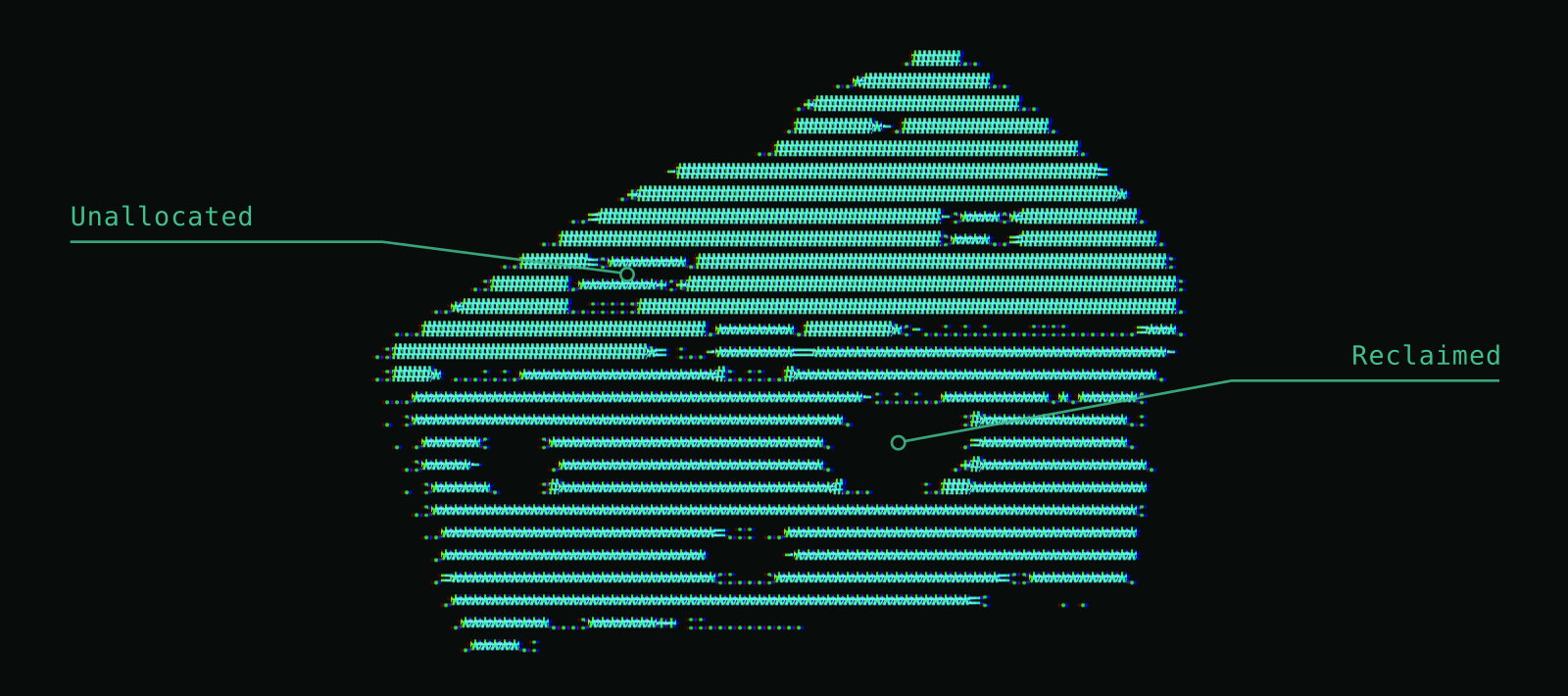
Getting a cache right can be a nightmare. We built our S3 cache to be full of deliberate holes.
Berserk is a high-performance, highly cost-efficient data store for logs, metrics, traces, and evals. To keep queries fast and disk use low, we use sparse files. Each query node stores the pieces it needs and punches holes to reclaim space as those pieces fall out of use.
This post explains how Berserk uses hole punching to reclaim disk space and coordinates reads across process boundaries so query workers can read directly from the cache.
Why are Linux files full of holes?
I distinctly remember the day I learned that a Unix file could appear large while taking up very little disk space. It was 1990, and I was working part-time as a sysadmin at the computer science department where I was also studying, and we would do backups to tape drives using tar (short for tape archive), and GNU tar 1.09 had just been released, adding -S option for archiving "sparse" files. This was great because previously, a sparse file occupying only a few kilobytes on disk could consume gigabytes of backup tape, much like a zip bomb expanding when unpacked.
When a file is sparse in Unix, it has portions that are not actually allocated on disk. If you try to read those portions of the file, you just get zeros. A backup that writes those gaps as zeros takes up extra space on tape and, if restored as-is, on disk.
Sparse files are easy to create: just open a file, seek to any location and start writing. The portions you don't write to, do not occupy space on disk. The file system tracks which parts of the file are stored on disk in blocks, typically 4 KB each. The gaps between those allocated blocks are the holes.
This allows for many neat tricks for designing file formats, and back then several common files used them. For example, /var/adm/lastlog kept a small record of each user’s most recent login, including the time and terminal. Each user’s record lived at a position calculated from their numeric user ID. With 100-byte records, for example, user ID 1,000,000 would put a record 100 MB into the file. Sparse files let the unused slots between records remain holes, taking up no disk space.
Another example was ndbm files (ndbm was that period's SQLite), which are essentially addressed as a large in-line hash table.
With GNU tar’s -S option, we could back up and restore sparse files without allocating space for the gaps!
But how did tar know where the holes were? For years, it had to scan the file for runs of zeros. Later, Linux added ways to work with holes directly: lseek with SEEK_DATA and SEEK_HOLE lets programs locate data and holes, while fallocate with FALLOC_FL_PUNCH_HOLE lets them free disk space from the middle of a file without changing its size. Finding holes became part of the POSIX standard in 2024, while creating them still relies on platform-specific APIs. That last operation is central to how Berserk’s cache works.
But enough history... back to Berserk’s cache.
Berserk's S3 Cache Server
When a query needs data from S3, Berserk’s query coordinator splits the work among workers. The workers on each query node share a cache server and a cache on that node’s disk. A worker reads cached data directly from disk and asks its local cache server to fetch any missing blocks from S3.
Berserk stores batches of rows on S3 in files called segments. A segment contains the rows and indexes that help queries find the parts they need. These files can grow to several gigabytes each. In these files, a header and chunk directory tell the reader where to find each chunk. Below is a simplified diagram of the segment file format.
The cache server fetches missing data using range gets aligned to 4 MiB blocks. One request can cover several adjacent blocks. It stores each cached S3 object as a local sparse file, writing each block at the same offset it has in the original segment file.
A query worker (the cache client) talks to the cache server using Unix domain sockets, which permits passing shared memory handles across process boundaries. The shared memory includes a presence bitmap with one bit per 4 MiB block. The worker checks the bitmap before trying to read directly from the file. Here’s the simplified read path, where shm refers to the memory shared with the cache server:
CacheHandle::pread(buffer:bytes[], off:u64, len:u64) {
    if (shm.check_blocks_present(off, len)) { // rounds to 4 MiB boundaries
       // << do the fast path read>>
    } else {
       // << ask cache_server to download relevant range >>
       return pread(buffer, off, len)         // loop back and try again
    }
}
This setup is largely parallel to how the operating system's page cache works. In the OS page cache, the kernel knows which parts of a file are resident in memory; in our S3 cache the host-local cache server knows which parts are resident on local SSD. When a block is missing, the query worker asks the cache server to fetch it from S3.
This setup allows offloading a lot of management to the operating system; and lets us operate efficiently on a plain Linux file system.
To a large extent, the cache client treats a cached file as if it was local (because it is!) but it has to check the bitmap first to make sure that the relevant blocks are "here". That simplifies a lot of things in terms of operations, and saves massively on data that has to be fetched from S3.
Cache Eviction
Trouble starts when we need to evict data when the cache runs full. We need to delete some data from the local file system, and coordinate it with the clients.
When the cache starts to fill up, the server favors evicting blocks that see less recent or less frequent use. It clears their bits in the shared bitmap, then punches holes with fallocate to free the disk space.
So how does the client know that a block has been evicted? Remember, the shared bitmap tracks which 4 MiB blocks are available locally: a set bit tells the client the block is present when it checks. Evicting a block means clearing its bit and freeing its disk space.
But the bitmap check and the file read are two separate steps, running in a different process from the cache server. The diagram below shows what can go wrong: the client sees that a block is present, but the server evicts it before the client reads it. Without coordination, the client could then read zeros from the hole instead of the cached data. Even an updated bitmap cannot undo the client’s earlier check.
To help readers catch this race, the server increments a shared counter for the file before punching a hole. The client checks that all requested blocks are present and that no writer is pending before trying a direct read. It samples that counter before and after the read, with a memory fence on each side. If the counter changes, the server announced a hole punch for that file between the two checks. The client then tries to confirm the read under a lock on the requested range. If it can’t confirm the read, it asks the cache server for help.
if shm.all_blocks_present(range) && !shm.writer_pending(range) {
    let before = shm.punch_epoch();
    fence(SeqCst);
    let n = pread(file, buffer, offset)?;
    fence(SeqCst);
    if shm.punch_epoch() == before {
        return Ok(n);
    }
    if let Some(n) = confirm_read_under_lock(file, buffer, range)? {
        return Ok(n);
    }
}
// Ask the cache server for help if the direct read could not be confirmed.
Trusting the cache after a restart
After a restart, the cache can reuse the blocks already on disk. But how does it know those bytes still match what it downloaded? The cache keeps a checksum for each 4 MiB block. Originally we had the cache server read and verify each block the first time a query touched it after a restart. Even if a query needed only a few bytes, we still had to read and verify the entire 4 MiB block. That slowed queries while the cache checked data it already had.
We could skip that extra read because Berserk’s segment files already include a checksum for each chunk. A chunk can occupy part of a cache block or span several blocks. The query worker checks the checksum of each chunk it reads before using the data. If the check fails, the worker asks the cache server to fetch the affected blocks again from S3.
Balancing S3 downloads and cache eviction
When a query needs blocks that are missing from the cache, we keep multiple S3 requests in flight to overlap the wait and read ahead when we expect a query to need the next blocks. The right amount of concurrency depends on the object store’s latency and bandwidth, so the cache adapts and backs off when the store starts throttling requests.
Those downloads also need disk space. Under sustained load, eviction has to free space fast enough to keep them moving.
Phil Karlton famously put cache invalidation alongside naming things as one of the two hard things in computer science. After building this cache, I can see why. Freeing the disk space is easy. Making sure no query uses bytes from a block that just disappeared is the hard part.
Why the holes matter
Berserk’s cache server punches holes to evict individual blocks and preserve the original S3 offsets. Query workers use a shared bitmap to read cached blocks directly from disk and check an eviction counter to detect a hole punch during a read. After a restart, the segment format’s own checksums let workers verify just the chunks they read and put the data already on disk back to work.
That combination is what makes Berserk’s S3 cache distinctive. The same file can serve local reads, fill in missing ranges from S3, and give disk space back as queries move on. In 1990, I used sparse files to save space on backup tapes. More than three decades later, I’m using the same trick at Berserk to keep queries fast by reusing the blocks we’ve already fetched from S3.